
Full or partial computer lockdown
For each activity the teacher chooses a full or a partial lock, and what stays open to the student.
Create questions, practice, labs and quizzes with AI in minutes, and run them in a locked environment with no copying. Everything a lecturer needs - in one place.
Describe in words what you want to teach, and AI builds the questions, practice, labs and interviews for you - from your material, uploaded files or relevant sources on the web. You edit, approve and run.
The teacher or lecturer decides how locked each activity is, so the work you receive is authentic and shows real performance and understanding.
For each activity the teacher chooses a full or a partial lock, and what stays open to the student.
Copy and paste are blocked, so ready-made text can't be brought in.
No one can answer for the student from somewhere else.
Inside the locked environment, only the aids, tools and built-in AI the teacher set for the activity stay open.
The teacher sees in real time who is in the activity, at which step, and who left it.
Instead of an outside AI, a built-in chat helps students at the level of help the teacher set.
Each student gets different data and question wording, so an answer can't be copied from a classmate.
Activities are checked automatically and graded.
Educators build and configure the types of activities, manage them in class, and receive student work directly for review and assessment.
Build activities, questions, and resources with AI, existing content, and relevant materials the system finds online.
Set permitted tools, reference files, security rules, and AI assistance levels.
Manage locked in-class sessions on student devices with real-time progress monitoring.
Receive authentic student deliverables directly for automated and manual grading.
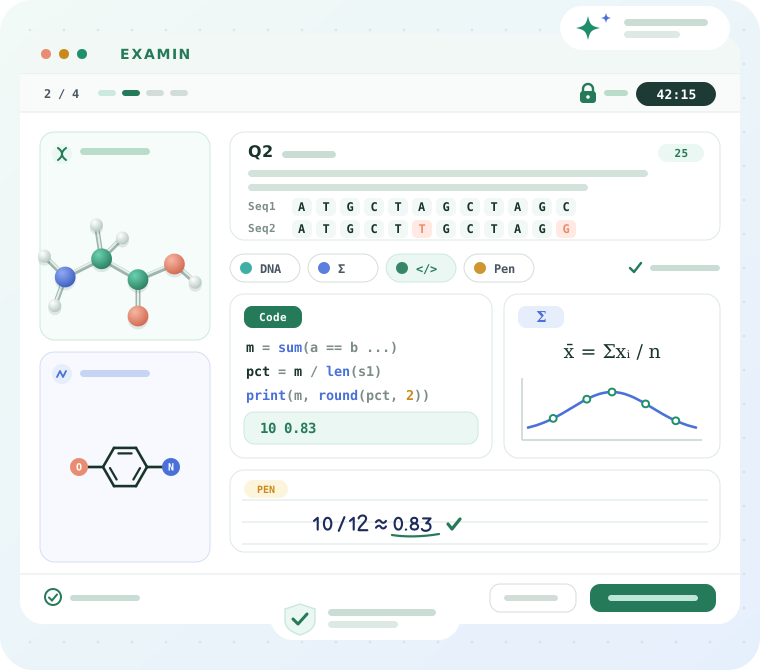
Students work with professional tools right inside the activity: math tools, biology and chemistry tools, simulations for lab work, data science tools such as data tables and charts, and a coding environment. Tools can be combined in one activity, with built-in AI for managed assistance.
Build and deliver quizzes and exams with the tools, reference materials, and permissions defined by the educator.
Guided practice and inquiry with simulations, scientific tools, data collection, and process documentation inside the activity.
Dynamic dialogue that checks understanding, explanation, and reasoning about the work - not only the final answer.
For educators and institutions that want to run digital practice and exams without worrying about copying and AI - with control over tools and AI use.
For quizzes, mock exams, AP & IB exam preparation, alongside practice and labs in a controlled digital environment - with educator control over tools, reference materials, and AI access.
For courses, exams, labs, and advanced assessment - including independent work, guided activities, and controlled use of AI.
EXAMIN lets educators decide when AI is available, at what level, and at which stages of an activity. Allow guided assistance for learning, limit external sources, and add moments that require independent work - all according to the goal of the activity.

In mathematics, physics, chemistry, and other subjects, students can write, calculate, and sketch naturally with a digital writing tablet and stylus. The response is saved directly inside the activity - no printing, scanning, or uploading paper.
The institution sets the lockdown and AI policy for all its teachers, and adapts the logo, colors, an official exam paper template and institutional documents. The institution's data belongs to the institution, and is kept separately.
Leave your details and we will show you EXAMIN for your curriculum, institution type and assessment goals.